
More than half of SaaS applications are hardly ever used, costing organizations about $21 million each year on licenses that don’t provide real value.
For startups and large organizations alike, Software as a Service (SaaS) is an essential part of keeping operations running smoothly.
However, keeping track of all the SaaS applications you’re using can be tricky, and that’s where SaaS portfolio management software comes in.
Let’s take a closer look.
What Is SaaS Portfolio Management Software?
SaaS management helps you ensure you’re only paying for subscriptions you actually use. It helps you avoid overspending and keeps your software usage secure and compliant.
In short, it’s an essential part of running a successful business.
SaaS portfolio management is about keeping your company’s apps organized and ensuring no money is wasted on unused tools.
Rather than letting teams buy tools at random, miss renewals, or pay for overlapping software, a SaaS portfolio management software shows you every app in use, who uses it, what it costs, and if it’s worth keeping.
The aim is to get the most value, cut waste, lower security risks, and ensure every SaaS tool is truly needed. A successful SaaS portfolio management helps your company:
- Find unused licenses
- Remove duplicate tools
- Negotiate better contracts
- Plan for growth.
Among other things, you get less software chaos, better control over your budget, and a tech stack that supports your business.
→ Read also: SaaS Procurement? Process, Vendors and Best Practices
Why Your Business Needs A SaaS Portfolio Management Software Right Now
The statistics about SaaS sprawl speak for themselves. Last year, SaaS spending made up about 30% of total IT budgets, with companies using an average of 106 SaaS apps.
That number keeps climbing, and most finance and IT teams are struggling to keep pace.
Large companies now use more than 400 SaaS apps on average, while more than 10% of IT budgets pay for software that isn’t used, and almost half of SaaS licenses go unused for 90 days or longer.
This is money thrown out the window every quarter.
The problem gets worse fast. Each time a team uses a tool without IT approval, a subscription renews automatically, or a duplicate license goes unnoticed, the unmanaged pile grows.
By the time someone notices, the waste has already accumulated for months.
And still, it’s hard to see the full picture: 63% of IT leaders say they need better SaaS tracking, yet most companies still guess their SaaS spending is 3 times less than it really is.
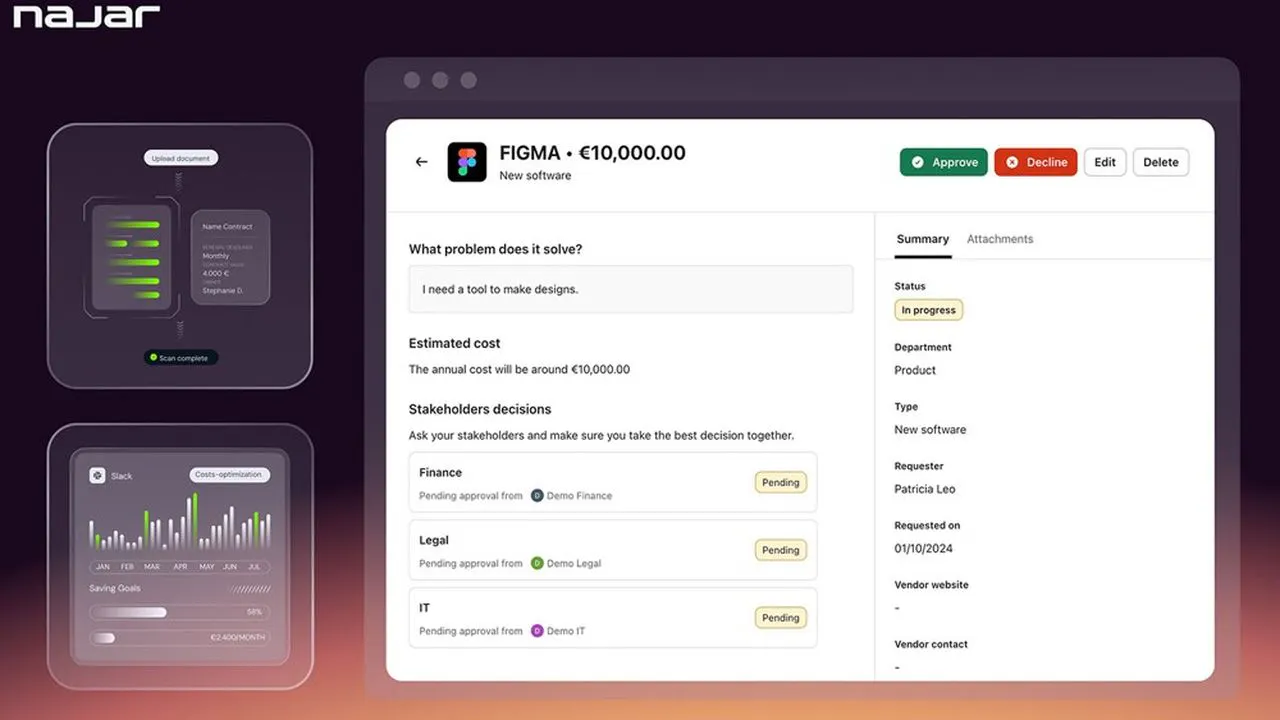
Manual tracking, spreadsheets, calendar reminders, and email threads were not made to handle the size and speed of modern SaaS buying.
The gap between what companies think they’re spending and what they’re actually spending is where the real damage happens.
A specialized SaaS portfolio management software closes that gap, turning a messy collection into a controlled, improved resource that finance, IT, and purchasing teams can all use.
→ Learn more about SaaS subscription management software and how it helps teams control SaaS spending and subscriptions.
What Are the Features of SaaS Portfolio Management Software?
1. Immediate cost savings
Many organizations lose more than $135,000 each year on unused licenses. Portfolio management software helps you find these licenses before your next renewal.
2. Time saved for IT teams
IT teams often spend 10 to 20% of their time managing SaaS sprawl. Automation, renewal alerts, and approval workflows help them reclaim that time.
3. Audit readiness and compliance
A central contract repository and complete audit trails mean you are prepared for compliance reviews. Every subscription, term, and owner is clearly documented and easily accessible.
4. Stronger vendor negotiations
Usage data and benchmark pricing give your team real leverage during renewal discussions, so you do not have to rely on guesswork.
5. Budget predictability
Renewal calendars and spending forecasts help you avoid surprise charges. Nearly two-thirds of IT leaders have faced unexpected costs from usage-based or AI pricing, but better visibility can prevent this.
6. Improved team productivity
Employees can access the tools they need faster, without creating duplicate subscriptions.
What Challenges Does SaaS Portfolio Management Software Help Solve
Managing a growing SaaS portfolio without dedicated software means problems accumulate silently, until an audit, a security incident, or a surprise renewal forces them into view. Here are the 4 core challenges SaaS portfolio management software is built to solve:
1. SaaS Sprawl
Shadow IT has taken over 40% of total SaaS spend, and represents 60% of data breaches. A SaaS portfolio management software automatically finds all your SaaS tools, highlights duplicate features, and shows where you can cut costs before unnecessary tools renew for another year.
2. Security, compliance, and legal review
According to IBM's 2025 Cost of a Data Breach Report, the average cost of a breach in the United States is now $10.22 million. Skipping this step is a risk simply not worth taking.
Before signing any contract, make sure the vendor passes a security and compliance review. This ensures your data is protected and access is properly managed.
- SOC 2 (System and Organization Controls 2) is an independent audit that verifies a company handles customer data securely.
- ISO 27001 (International Organization for Standardization 27001) is an international certification confirming a company has a formal information security management system in place.
- GDPR (General Data Protection Regulation) is a European law that regulates how companies collect, store, and use personal data, with fines of up to €20 million for non-compliance.
3. Contract negotiation
Most SaaS vendors are more flexible with pricing and terms than their first quote shows.
At this stage, procurement teams can add real value by negotiating both the price and the terms that will affect how the tool is used in the future. Tools like Najar can handle negotiations for you and help save up to 36% on your SaaS spending.
Procurement teams typically negotiate:
- Pricing and seat tiers: Discounts based on user volume or usage tiers
- Onboarding and implementation: Free or discounted setup and training
- Support levels: Premium support included instead of paid add-ons
- User flexibility: The ability to scale seats up or down without penalties
- Contract length: Discounts for multi-year commitments (balanced with flexibility)
Timing is important as well. Vendors are often more open to making deals near the end of a quarter or fiscal year, when they are eager to close more sales.
→ Read also Price negotiation with SaaS suppliers
Top 4 Best SaaS Portfolio Management Softwares
1. Najar
Ratings ⭐⭐⭐⭐⭐
G2 4.6/5 (36) Capterra 4.9/5 (22) FeaturedCustomers 4.8/5.0 (426)
Pricing: Contact Najar for a demo and personalized quote.
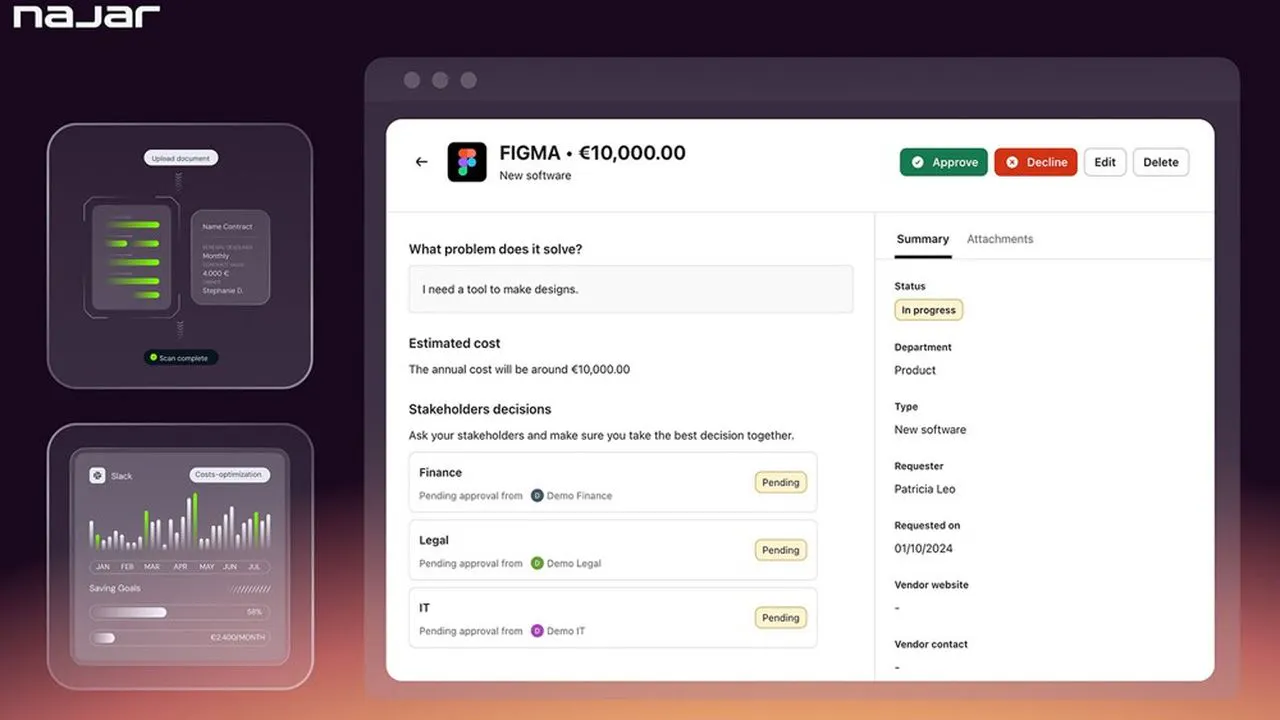
Najar is an AI-powered platform that manages the entire software purchasing process, from the initial request to renewal.
It lets companies control spending without needing a dedicated procurement team.
The platform centralizes:
- spend tracking
- automated approval workflows
- contract management
- supplier intelligence
- collaborative decision-making in a single platform.
It automatically detects inefficiencies, duplicate subscriptions, shadow IT, and renewal risks. This gives company leaders clear visibility and control at all times.
Najar stands out by combining advanced AI technology with help from experienced procurement specialists.
Rather than just providing a tool, Najar acts as an extension of your team by refining requests, finding the right vendors, and negotiating the best terms for you.
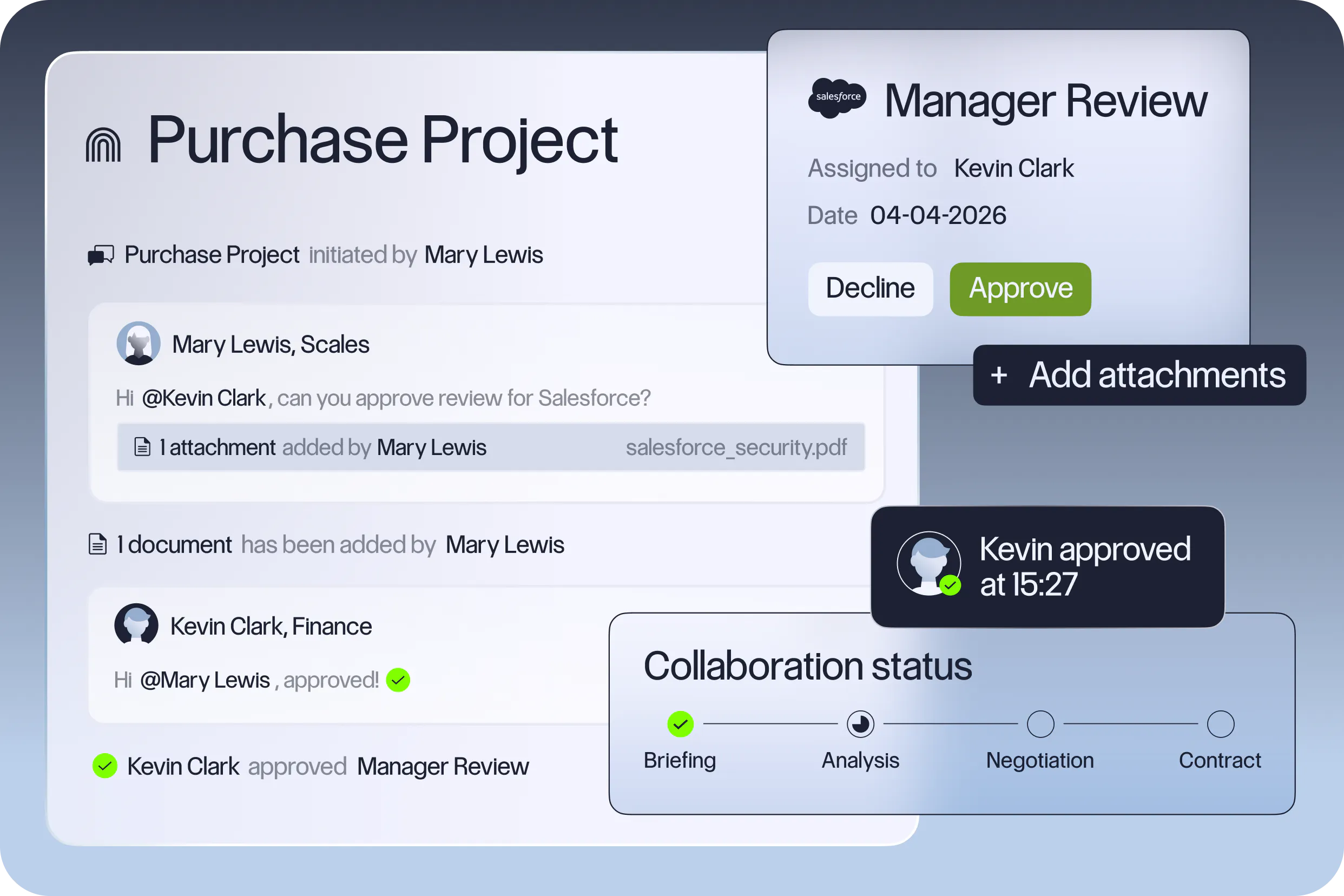
Finance, IT, and procurement teams can track all software subscriptions, contracts, and renewal dates. Built-in workflows help make the intake process structured and speed up approvals while staying compliant.
Clients have saved up to 36% on individual contracts, and some have saved more than 45%.
Najar helps companies save money, secure better contract terms, and stay compliant, all without adding extra work.
7 Major Najar Features
- Complete SaaS discovery and inventory: Brings all SaaS tools, licenses, and ownership into one place for the whole organization.
- Usage and spend tracking: Monitors license use, spending, and utilization to spot waste and find ways to optimize.
- Smart purchase requests and workflows: Uses a structured intake system with automated routing, approvals, and workflow setup.
- Collaborative approval and procurement hub: Lets stakeholders review vendors, contracts, and decisions all in one place.
- Vendor sourcing and negotiation support: Helps you find vendors, compare options, and negotiate pricing, terms, and contracts.
- Contract and renewal management: Keeps all contracts in one place, tracks renewals, and helps prevent unwanted auto-renewals.
- AI-powered insights and automation: Offers recommendations, forecasting, benchmarking, and automates complex procurement tasks.
2. Vertice
Ratings ⭐⭐⭐⭐⭐
G2 4.6/5 (238)
Pricing: Fixed annual subscription based on your annual SaaS spend. Custom quotes available upon demo request.
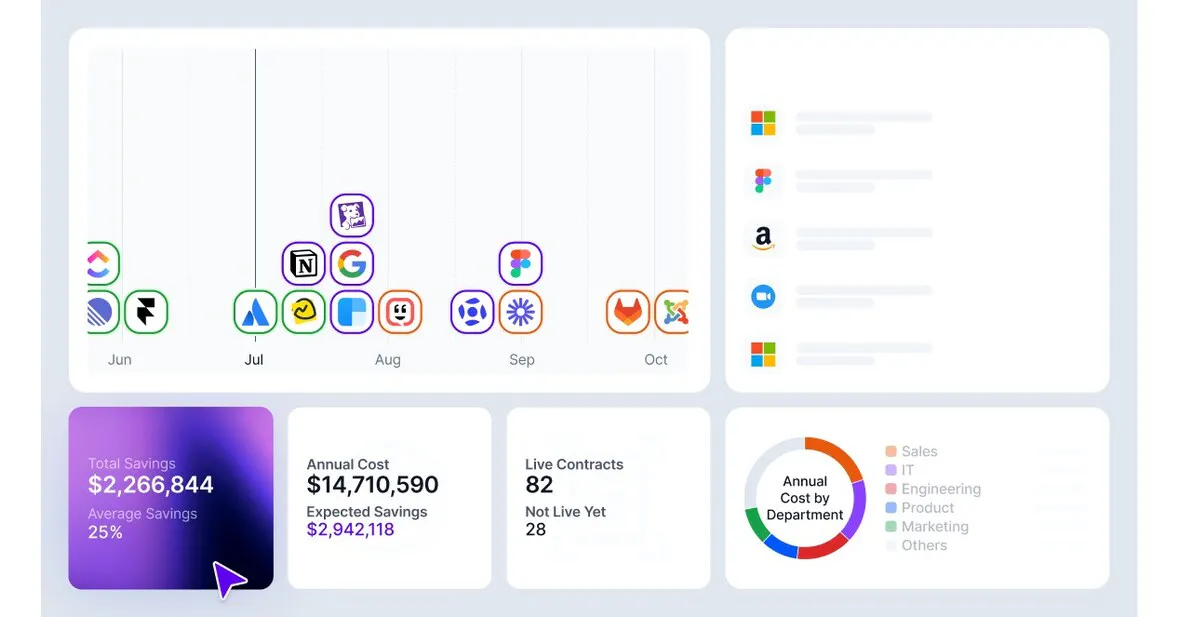
One of the few platforms to combine SaaS and cloud spend in one dashboard, Najar, on the other hand, identifies cloud spending but manages it through its dedicated partner DoiT.
Finance teams who are tired of managing separate invoices and contracts may find this integration a strong reason to switch.
It also supports the whole procurement process, from purchase requests to vendor selection, negotiation, and contract signing.
Its AI agents handle more than 70 procurement tasks, such as compliance checks and pricing benchmarks.
Vertice is designed for mid-sized and large teams that need structured workflows, solid benchmarking data, and direct negotiation support. It also provides clear visibility into cloud costs, which is uncommon among similar platforms.
Features:
- Cloud cost optimization for AWS, Azure, and Google Cloud
- Spend benchmarking with real-time market pricing data
- Renewal workflow automation and contract tracking
- Vendor management dashboard with financial impact view
- AI-driven spend forecasting
→ Read our full Vertice review
3. Ramp
Ratings ⭐⭐⭐⭐⭐
G2 4.8/5
Ramp Pricing:
- Free Plan: Includes Core card issuance, expense management, receipt capture, and unlimited users
- Ramp Plus: $15/user/month, with an additional 20% discount on annual billing
- Enterprise Plan: Custom pricing
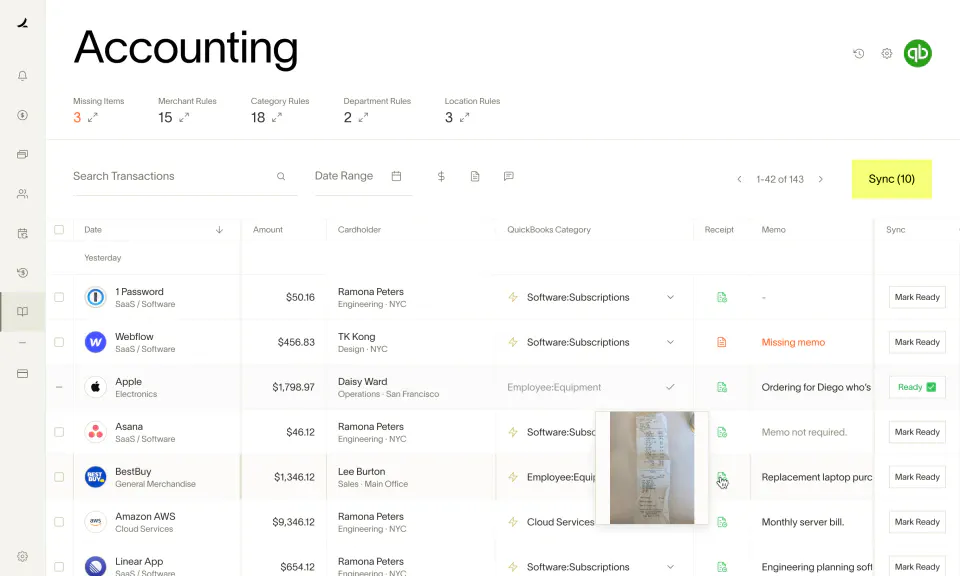
Ramp is a finance automation platform that combines corporate cards, expense management, bill payments, and SaaS cost tracking. Startups and fast-growing teams prefer it because it helps them reduce costs automatically.
Finance teams can issue as many physical and virtual cards as needed, set controls by vendor, category, or amount, and automatically block purchases that do not follow company policy.
Every transaction is tracked in real time, so you always know where the money is going.
Ramp can also alert you if you are overpaying for a SaaS tool by comparing your invoices with data from other companies on the platform.
It integrates with major ERPs such as NetSuite, QuickBooks, and Xero. About 90% of transactions are auto-coded before syncing.
Features:
- Unlimited physical and virtual cards with custom limits, categories, and vendor-level controls
- Receipts auto-captured, matched, and categorized with minimal manual input
- Invoice management, approval workflows, and vendor payments in one place
- Connects with NetSuite, QuickBooks, Xero, and Sage Intacct
- Flags duplicate subscriptions, unused tools, and unexpected price increases
- Compares your invoices with those from other companies on the platform to spot overpayments.
→ Explore the best Ramp alternatives for smarter expense management and procurement workflows.
4. Vendr
Ratings ⭐⭐⭐⭐⭐
G2 4.6/5 (111)
Capterra 4/5
Pricing: Plans from $12k a year. Custom quotes are available. Free access to pricing benchmarks is available before committing.
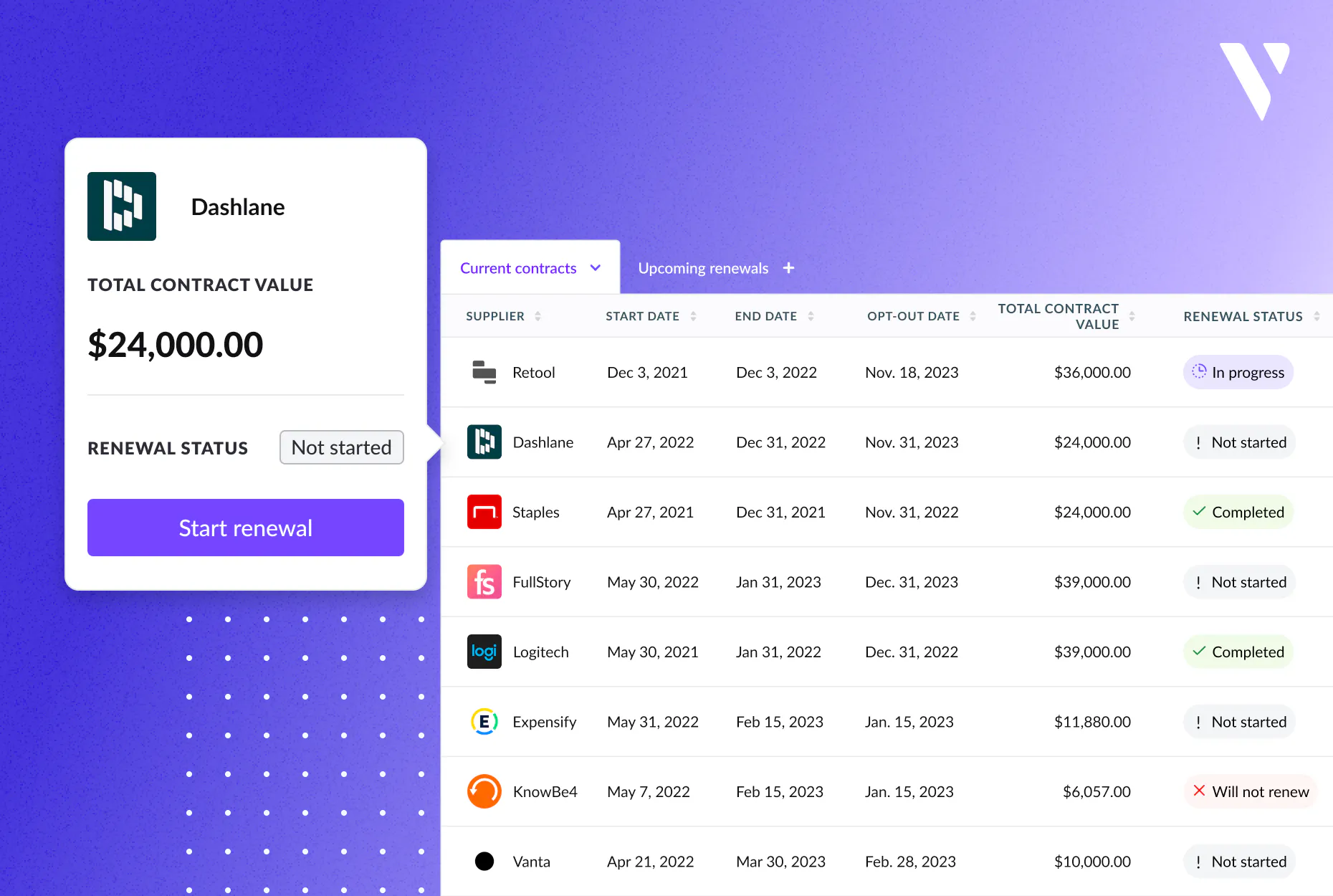
Vendr was one of the first SaaS procurement platforms. Now, it focuses on pricing intelligence and AI-powered negotiation.
Vendr uses data from over 130,000 enterprise deals and $3 billion in SaaS purchases. This provides teams with benchmark data and automated negotiation tools to help them avoid overpaying for software.
The platform now focuses on its main strength: using deal data to negotiate on your behalf.
Its AI agents manage vendor negotiations with proven strategies and real contract outcomes, but you always have full control over the strategy before anything is sent.
Features:
- Pricing benchmarks from 130,000+ enterprise deals.
- AI negotiation agents with human sign-off before execution
- Procurement workflow automation and renewal tracking
- SOC 2 compliant with clear AI data policies
→ Explore the best Vendr alternatives for smarter SaaS procurement and vendor management
How to Choose the Right SaaS Portfolio Management Software
Begin by looking at how well the tool can discover your software. It should find everything you have, including shadow IT, expense-card subscriptions, and SSO-connected apps that IT didn’t set up.
Consider these questions before you decide:
- Does it integrate with your existing stack? SSO providers (Okta, Azure AD), HRIS systems, and finance tools should connect natively, not require manual uploads.
- How does it manage contracts? Look for features like automated renewal alerts, a central document repository, and approval workflows you can adjust.
- What kind of benchmarking data does it provide? Platforms with real pricing data from similar companies help your team negotiate better deals.
- Is the reporting useful? Dashboards should help you make decisions, not just show data.
- How easy is onboarding? Stay away from platforms that take weeks of setup before you see any results.
Red flags: vague ROI claims with no benchmark data, limited integration libraries, and pricing tied solely to percentage-of-savings models that can misalign incentives.
What Are the Features of a Great SaaS Portfolio Management Software?
Noticing you have a SaaS problem is only the beginning. To fix it, you need the right tools.
The best SaaS portfolio management software does more than list your assets; it helps you take action. Before you choose a platform, make sure these core features are on your must-have list.
- Spend visibility: A single live dashboard shows what you pay for, who uses each tool, and how your costs are spread across vendors, teams, and departments.
- Usage tracking: See exactly which licenses are being used, which are not, and which might be renewed even if you don’t need them. This helps you make smarter decisions before paying.
- Renewal management: An automatic calendar shows upcoming contract dates, assigns responsible people, and starts review steps early. This helps you avoid last-minute stress and unwanted automatic renewals.
- Shadow IT detection: Constantly find unauthorized apps by checking login records, company card expenses, and browser tools. This shows software your IT team didn’t install and can’t currently track.
- Contract management: Keep all vendor agreements, important terms, and renewal info in one easy-to-search place. This speeds up audits, rule checks, and contract talks.
- Benchmarking: View actual price data to see if you’re paying more, less, or about the market rate for each tool. This helps your team when renewing contracts.
- Workflow automation: Create custom approval steps that automatically manage new software requests, renewal checks, and buying decisions. This reduces manual follow-ups and speeds up approvals.
Not every platform is strong in all these areas. Some focus on negotiation support, while others are better at discovery or compliance. The next section compares the top tools to help you find what matters most to your team.
Ready to Take Control of Your SaaS Stack With Najar?
SaaS portfolios won’t become more efficient on their own. Without proper visibility and management, waste keeps adding up with each unnoticed renewal and duplicate subscription.
Najar provides the spend insights, contract management, and procurement support you need to turn your SaaS stack into a competitive advantage instead of just a cost.
💻 Ready to stop overspending on SaaS?